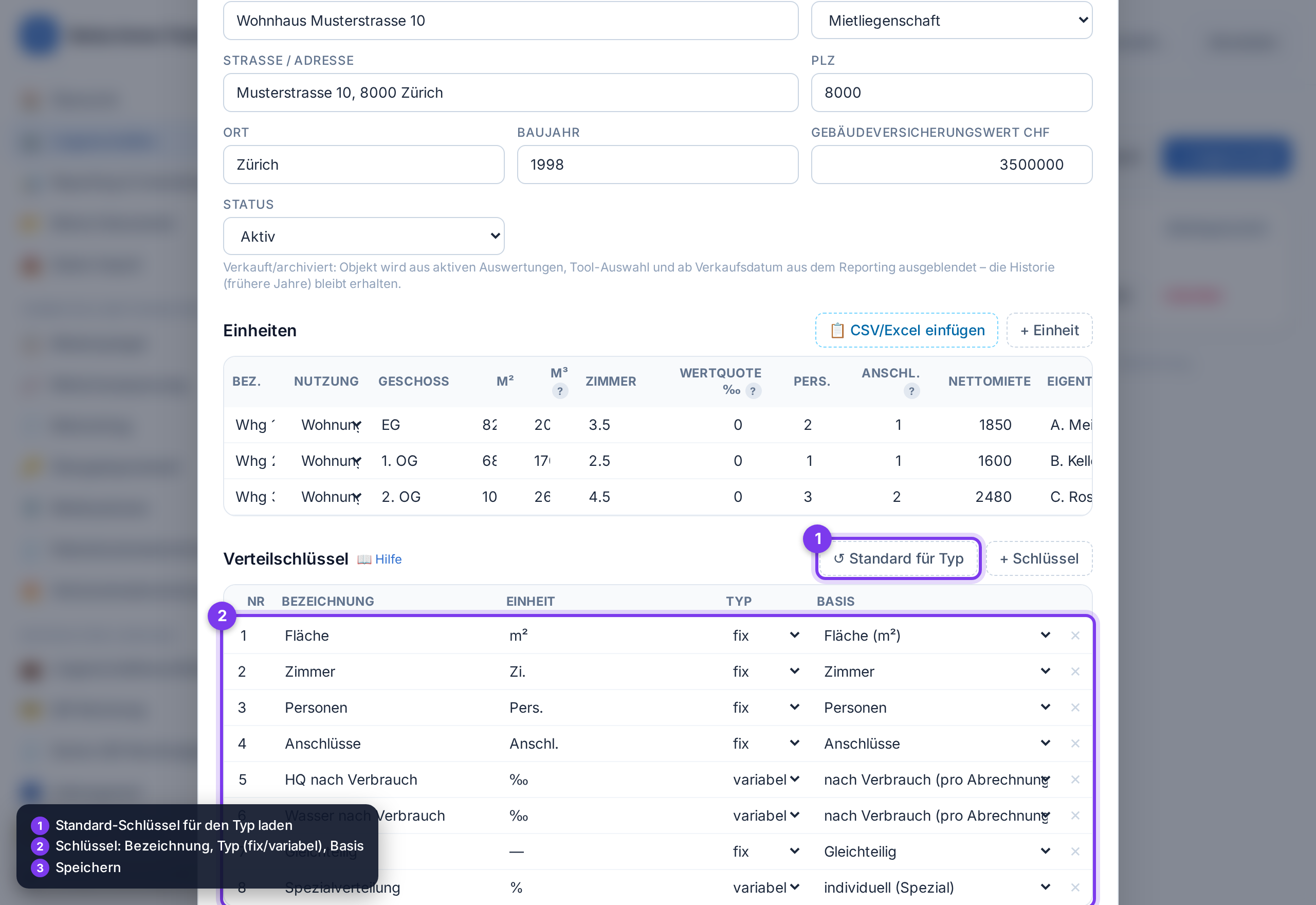
Allocation keys define by which measure costs are distributed among the units (e.g. by area, value quota, persons or consumption). They are available for selection in the utility, heating and condominium statements.
-
1
When editing a property, scroll to the Allocation keys section.
-
2
Depending on the property type, suitable keys are already suggested. With ↺ Default for type you can reload them.
-
3
Per key: set label, unit (m², ‰, …), type and basis.
-
4
fixed = calculated from the units' master data (area, volume, value quota, persons, rooms, connections, units, share in %, equal shares).
-
5
variable = consumption is recorded per billing period and per unit (e.g. heating share, water by consumption) — in the property cockpit under “Consumption per unit” (reading at start/end, location adjustment, forced heat, valid from the start of the period). In the service-charge statement the key is selectable, optionally with “of which by consumption x %” and the rest by area.💡 If the measured values for a fixed key are missing (e.g. connections = 0), the statements automatically distribute equally – no costs are ever lost.
Tool from launch: → Edit property